You spend hours designing the perfect Mailbys campaign, crafting a brilliant subject line, and when you finally hit «send»… silence. You check the stats the next day and the open rates are abysmal.
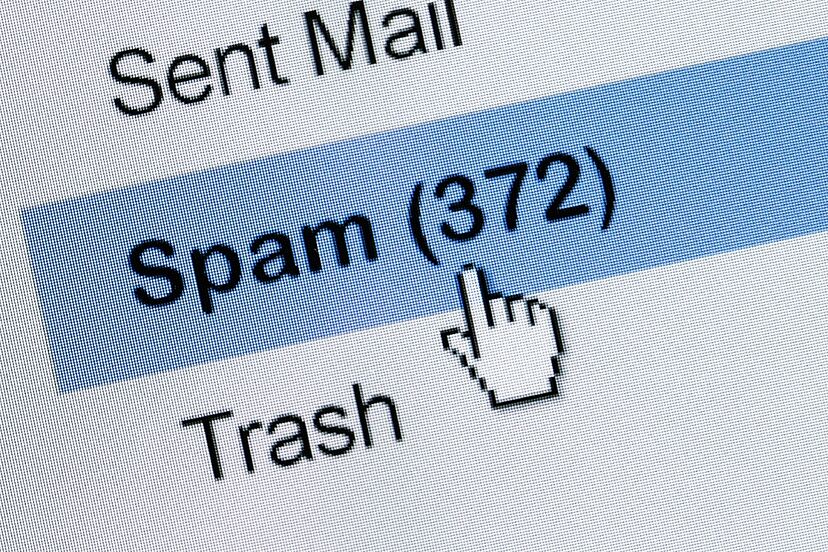
What happened? Well, your emails ended up in the spam folder.
For any business, an email not reaching the main inbox is synonymous with losing money and, above all, time. But to solve this problem, we must first understand the «enemy.» Why does this really happen, and how is it decided who gets in and who gets out?
How do Gmail or Outlook decide what is spam?
Email providers (like Gmail, Outlook, or Yahoo) strive to protect their users’ experience. They don’t want inboxes filled with misleading advertising, scams, or irrelevant content, and to do this, they use spam filters.
These filters are ultra-intelligent algorithms that analyze every email you send in a matter of milliseconds.
To decide whether your email is «valid» for the inbox or goes directly to spam, the filters mainly analyze three things:
1. Reputation Filters (Who are you?)
Before reading your email, the filter checks your sender’s «credit history.» It reviews the reputation of your domain (yourwebsite.com) and the IP address you’re sending from. If you’ve previously sent emails to people who didn’t give you permission, or if many users have manually marked you as spam, your reputation will drop and your emails will start being blocked by default.
2. Content Filters (What do you say and how do you display it?)
The algorithm scans the structure of your email. It looks for «trap words» associated with scams or aggressive sales tactics (such as «Free,» «Earn money now,» «Urgent»), analyzes whether you’re shouting (using too many capital letters or exclamation marks), and reviews the email’s code. If the design is a single, giant image with no text, the filter will immediately raise suspicion.
3. Behavioral Filters (What do your users do?)
This is the most up-to-date filter, but also the most valuable. Suppliers observe how people react to your shipments.
- Positive score: If users open your email, read it to the end, reply to it, or move it to folders, the filter understands that you are someone important.
- Negative score: If people delete your emails without even opening them, ignore them for weeks, or click «Report spam,» the algorithm will learn that your content is not interesting and will automatically send you there.
In short: the filters aren’t out to get you. They’re simply trying to guess if your email is something the user actually wants to receive. Now that we know how it works and which filters to pass, the next step is to check the following points.
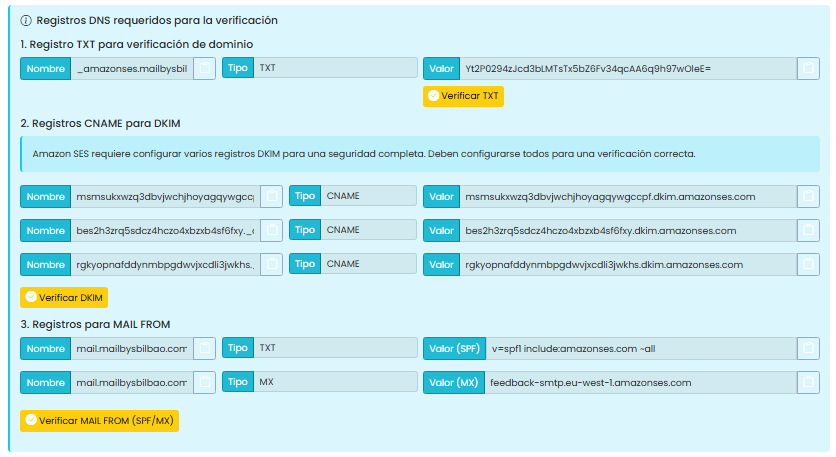
1. Authenticate your domain
You need to prove to your email providers that you are the actual owner of the email account you’re sending from. This is configured with the provider where you purchased your domain (GoDaddy, Namecheap, etc.) by adding three records:
- TXT Registration (Verification): Officially proves that you are the real and legitimate owner of the domain from which you will send your campaigns.
- CNAME (DKIM) records: This is a triple digital signature that ensures your emails are signed and have not been tampered with in transit.
- MAIL FROM (SPF/MX) records: Tells providers that Mailbys has permission to send emails on your behalf and customizes your delivery route to avoid suspicion.
2. Avoid using free email addresses to send campaigns
Never send mass emails from a @gmail.com or @outlook.com address. Filters will block them almost immediately if they detect mass mailings. Always use an email address with your own domain (e.g., hello@yourcompany.com).
3. Keep your list clean
Don’t send emails to people who haven’t opened yours in months. If your bounce rate (emails that bounce because the account no longer exists) exceeds 2%, the filters will assume you bought the list or that it’s outdated, and you’ll be penalized.
4. Avoid «Trick Words»
Filters hate desperate marketing tactics. Limit your use of words like: «Free,» «Earn money,» «Click here,» «Exclusive offer,» «100% guaranteed,» or «Investment.»
5. Moderate shouting and emotions
Avoid writing subjects or texts in ALL CAPS. Also, don’t overuse exclamation marks (Buy now!!!) or red or flashy emoticons (🚨💰❌) in the subject line.
6. A good design
Filters don’t like emails that are a single giant image (because they can’t read what’s inside and they get suspicious). Design your emails maintaining a balance: 60% actual text and 40% images. Also, always add «alternative text» (Alt Text) to your photos in case they don’t load.
7. The «Unsubscribe» button must be visible
Don’t hide it, don’t change its color so it can’t be seen, and don’t put obstacles in its way. If a user gets bored with you and can’t find an easy way to unsubscribe, they’ll resort to the most readily available button: «Mark as spam». And that damages your reputation far more than a voluntary resignation.